Unit 2: FMR Data Processing Services

In this unit, we'll cover the validation rules available in FMR, using concept representations and constraints to define the universe of valid data, as well as checking balance equalities using validation schemes.
FMR data processing services: data validation and conversion
The FMR provides a User Interface (UI) for interactive use as well as an SDMX REST API for programmatic access. To support data processing, the FMR has introduced SDMX-compliant Data processing services for Data validation, Data conversion, and Data mapping, as illustrated below.
The SDMX API, however, does not provide data processing services. FMR has extended the SDMX API in order to provide these capabilities.
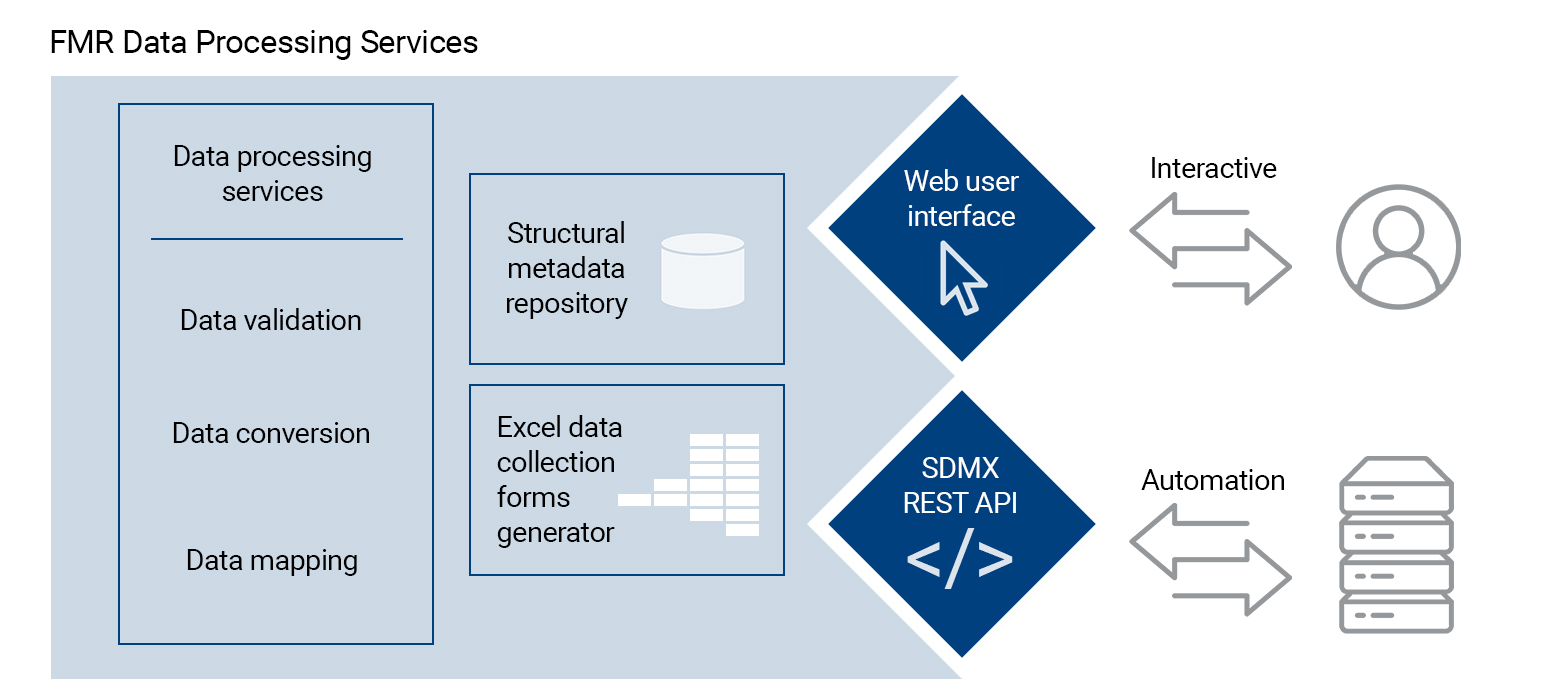
Select the flow chart to enlarge.
FMR's nine validation rules – a quick overview
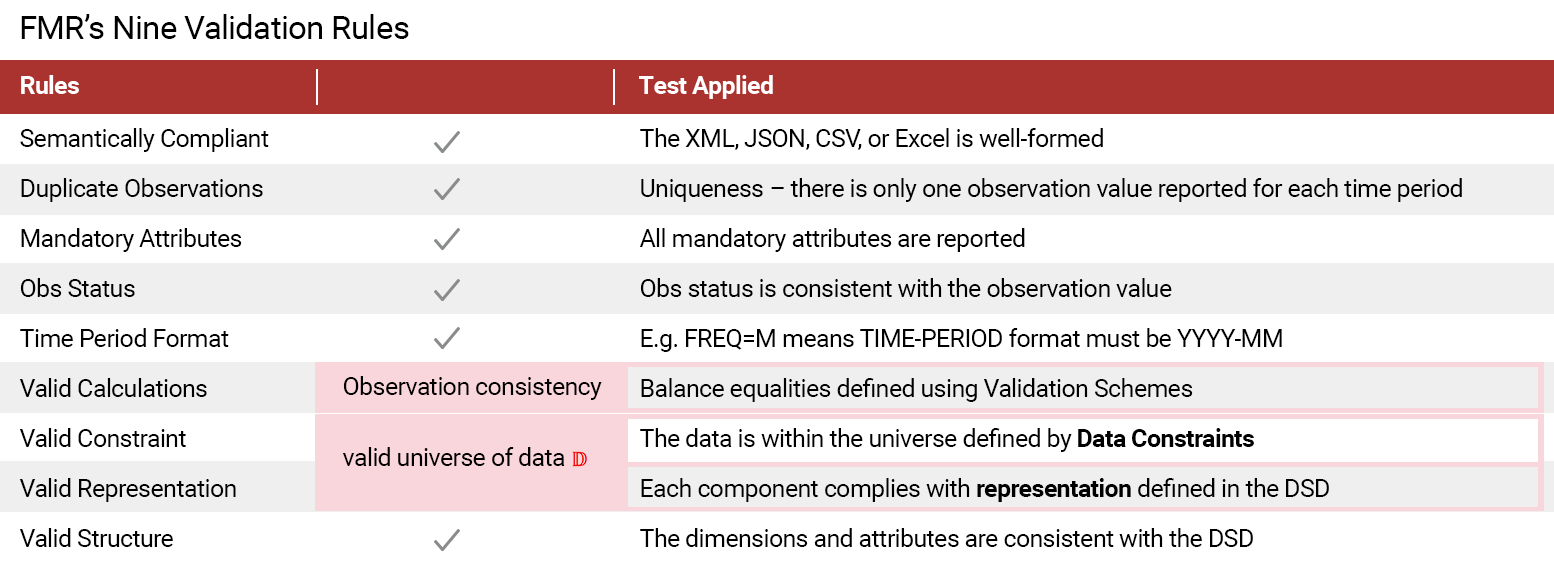
During the data validation process, there are nine validation rules that are applied, which involve several tests, as shown here.
Keep in mind that you may access additional information on OBS STATUS, which is listed as the fourth rule below.
Select the image below to enlarge.
Defining the valid universe of data (𝔻) – DSD component representations
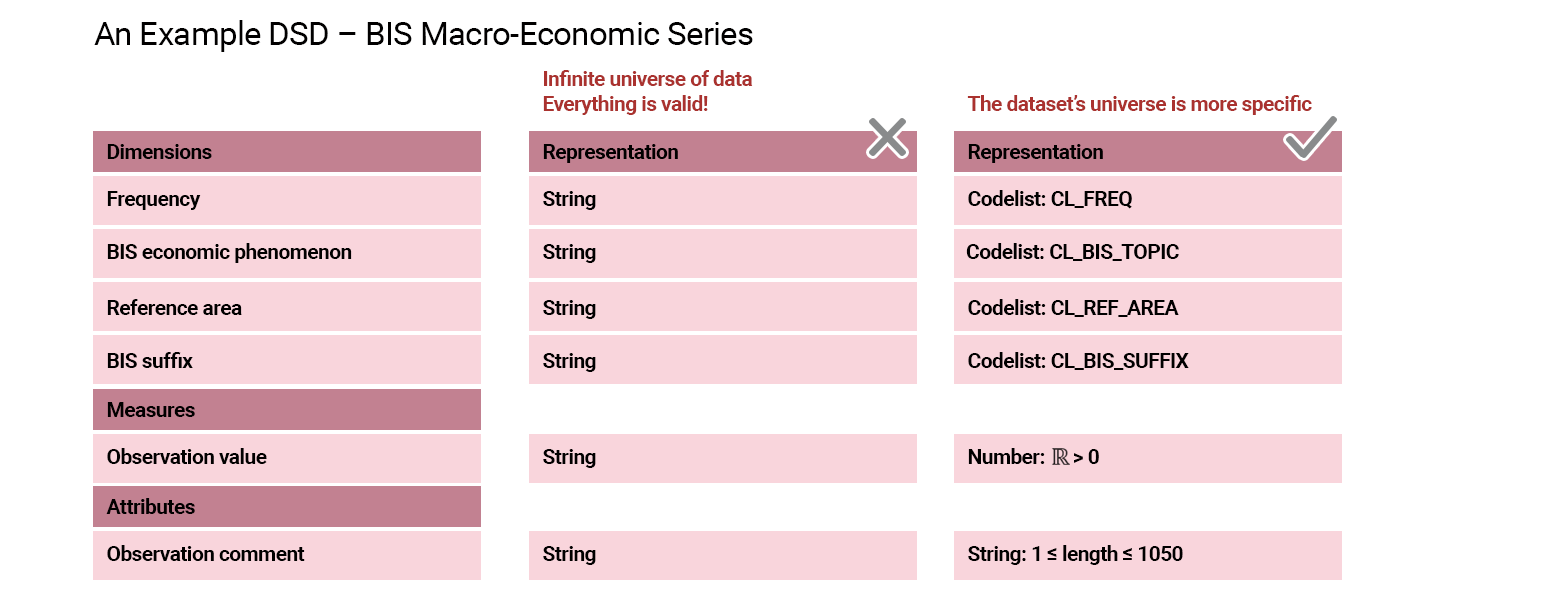
In the infinite universe of data, everything is valid. One simple but powerful method to assist with data definition and validation is to specify the data representation. This is the first step in defining the valid universe of data.
Select the image below to enlarge.
Setting DSD component representations in practice using FMR
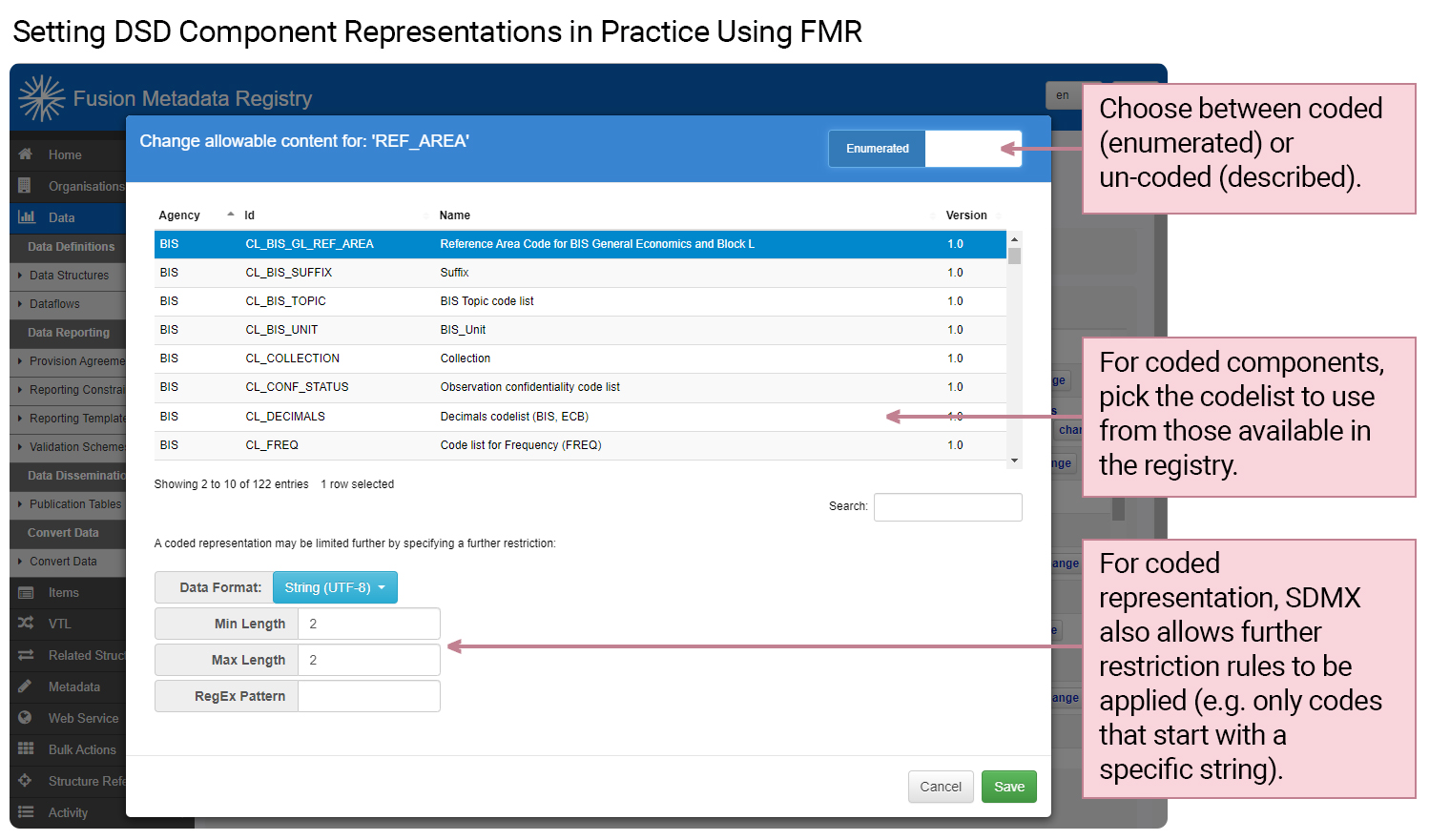
Now, let's review how to set the DSD component representation using FMR.
Select the image below to view the REF_AREA pop-up window and specific areas to focus on, along with steps required.
Further refining the valid universe of data (𝔻) – data constraints
Now, let's explore more on using data constraints to refine the valid universe of data (𝔻).
Select each question to discover more.
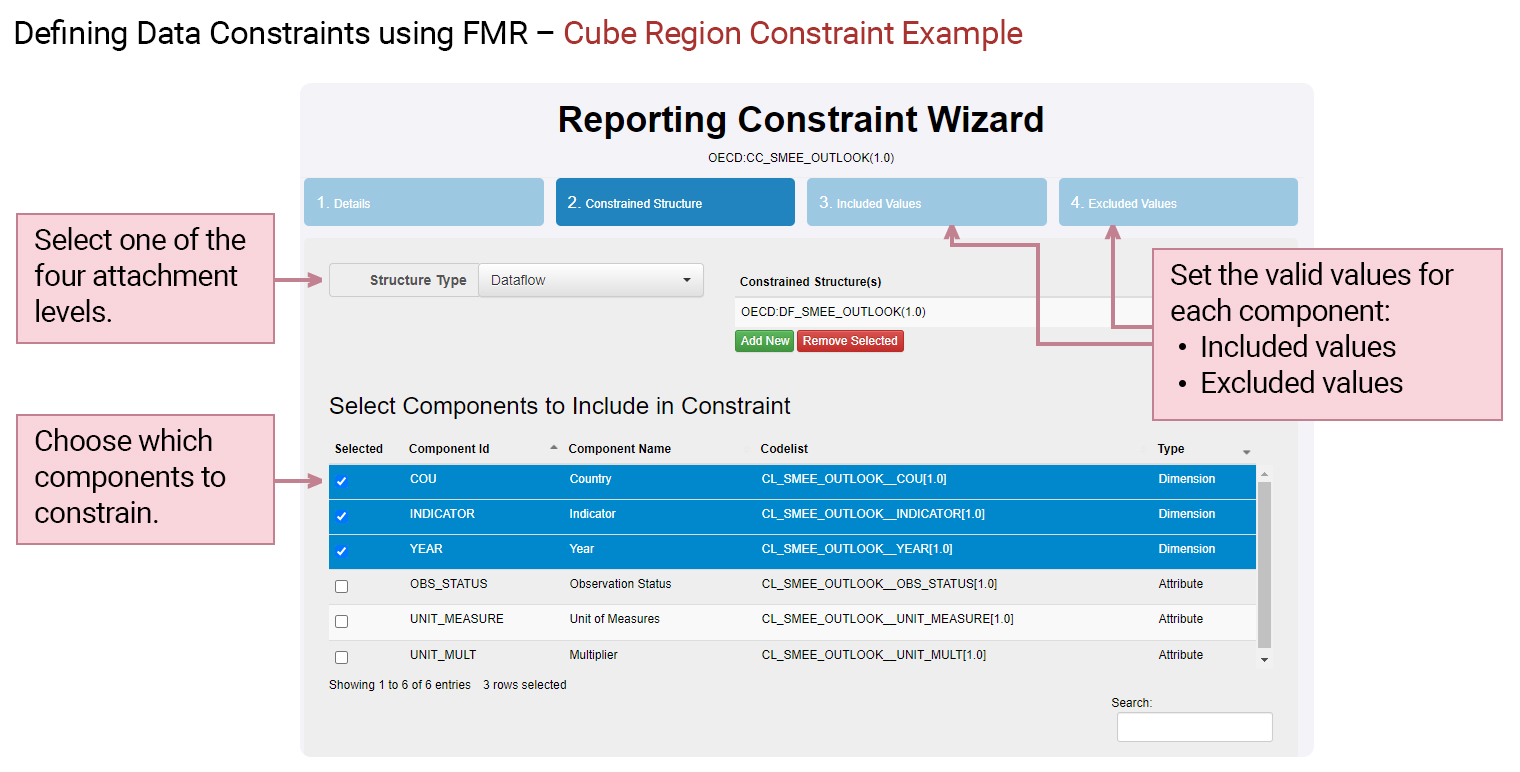
Defining data constraints in practice using FMR
Next, we'll go over how to define data constraints using FMR.
Select the image below to view the three steps required in the reporting constraints wizard.
Checking data set balance equalities using FMR validation schemes
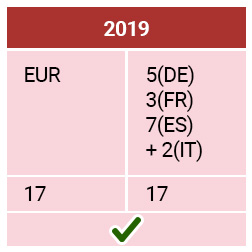
In some datasets, reported observations must be in balance. Consider the following example, where the dimension refers to the REF_AREA and the balance rule is as follows:
EUR = DE + FR + ES +IT
Select each example to find out if it is "in balance" using this validation scheme.
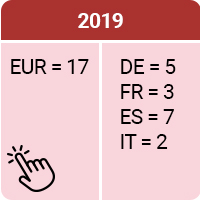
As you can see in this example, EUR is equal to the sum of DE + FR + ES + IT, and as such is "in balance."
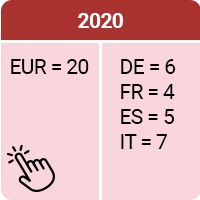
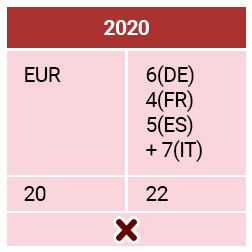
As you can see in this example, EUR is not equal to the sum of DE + FR + ES + IT, and as such is not "in balance."
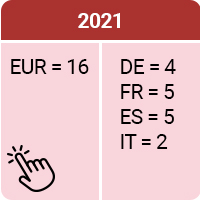
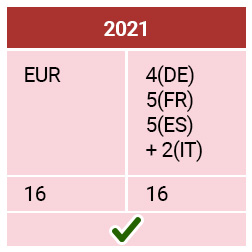
As you can see in this example, EUR is equal to the sum of DE + FR + ES + IT, and as such is "in balance."
Defining balance equalities in practice using FMR validation schemes
You can also check balance equalities using the validation scheme wizard, as shown here.
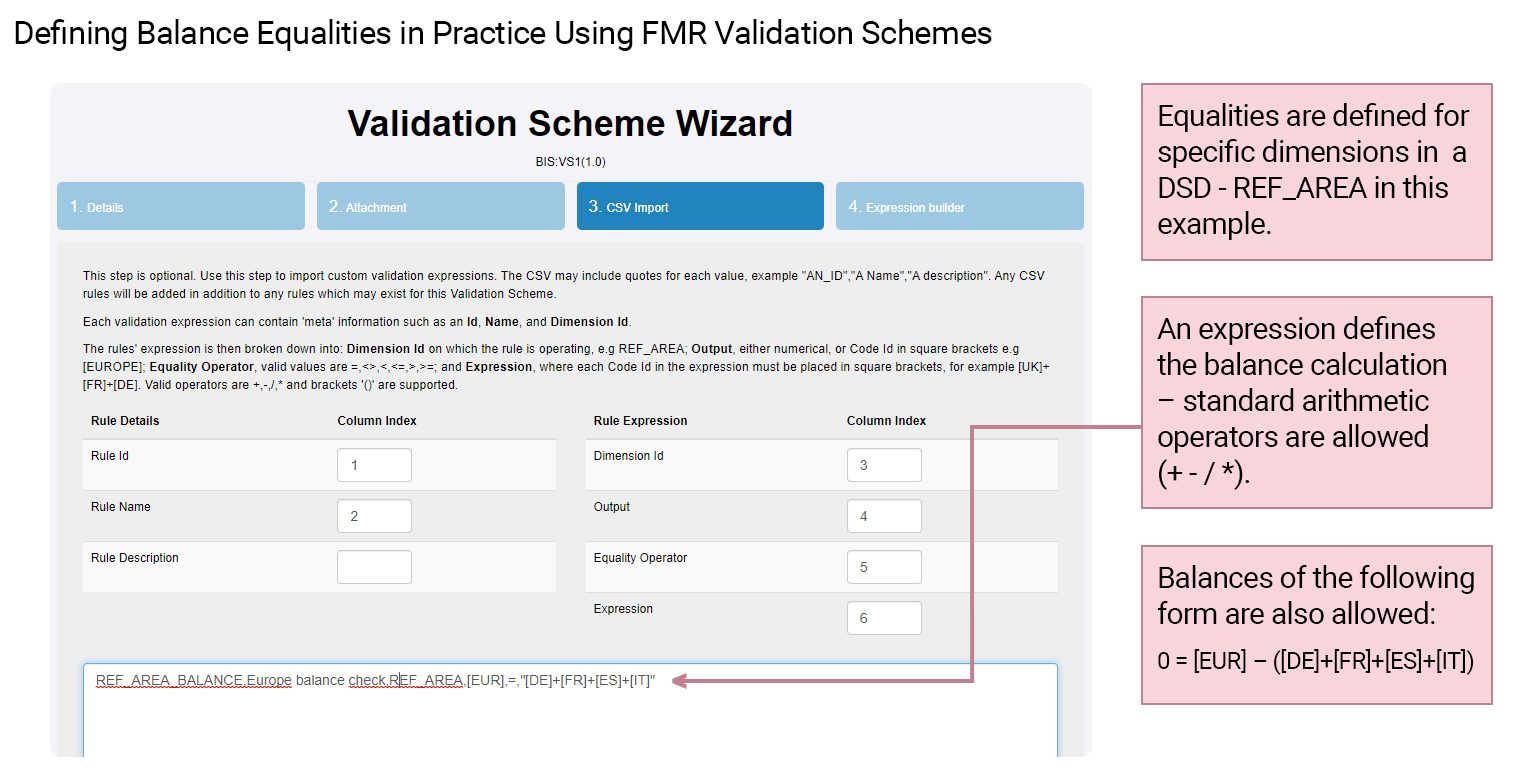
Select the image to enlarge.
What do you know?
It's time to test your knowledge.
Which of the following statements are true?
Select all that apply and then select Submit.
Constraints can actually be attached at four different levels ranging from general to more specific, as follows:
- DSD
- Dataflow
- Data provider
- Provision Agreement
Data constraints come in two categories:
- Cube Region
- Series
The correct answers are options 1 and 4.
Constraints can actually be attached at four different levels ranging from general to more specific, as follows:
- DSD
- Dataflow
- Data provider
- Provision Agreement
Data constraints come in two categories:
- Cube Region
- Series
The correct answers are options 1 and 4.
All statements are correct except statement 3. FMR is primarily concerned with structural metadata and therefore supports structure queries but does not support data queries.
Coming next
In this next unit, you'll learn about the steps required to validate and convert a data set using FMR’s web UI.
Need help finding something? I am an AI Assistant that's here to help!
Welcome to SDMX AI assistant
What are you looking for?
By using this AI-powered service ("Service"), you acknowledge and agree to the following:
This Service uses generative AI to assist with statistical analysis and research. While the Service strives to deliver useful information, the output ("Output") may contain inaccuracies, omissions, or biases. The Output is provided for informational purposes only and should not be considered professional advice. You remain responsible for how you interpret and use the Output.
The BIS makes no warranties regarding the accuracy or completeness of the Output and accepts no liability for any loss or damage resulting from its use.
Do not include or share personal, private, confidential or proprietary information when using the Service.
By using this technology, you agree to the Terms and Conditions.
How the assistant can help you
Understand SDMX standards
Ask and get clear explanations about SDMX standards.
Navigate the website
Find tools and documentation on website quickly.
Explore SDMX tools
Ask about API, software and libraries supporting SDMX.
Access documentation
Locate technical guides, specifications, and FAQs.