Unit 3: Data Queries

In SDMX API v2, data queries are designed to be more intuitive, flexible, and aligned with RESTful principles. The API supports queries for both aggregated statistical data and microdata, making it suitable for a wide range of analytical use cases. Developers can use structured paths or query parameters to request specific datasets, time series, or observations based on dimensions like time, geography, indicators, or other classification codes.
The API supports multiple response formats—JSON, XML (SDMX-ML), and CSV—giving developers flexibility, depending on their needs and tools. Pagination options help manage large data volumes, allowing responses to be split across multiple pages with customisable page sizes.
Key query options include filters for specific time periods (startPeriod, endPeriod), frequency, dimensions, and attributes. Developers can also choose to include or exclude metadata, annotations, and series-level information. Flags like detail=full or detail=serieskeysonly control the depth of returned data.
For microdata, the API allows queries with variable-level filtering, enabling granular access to individual records while respecting privacy constraints.
Overall, SDMX API v2 offers a comprehensive and developer-friendly approach to querying complex statistical datasets, making it easier to build data-driven applications, dashboards, and automation scripts.
In this unit, we'll cover the ways in which SDMX API data queries assist users and present a few realistic examples of data queries.
The SDMX API data queries

Data queries in action
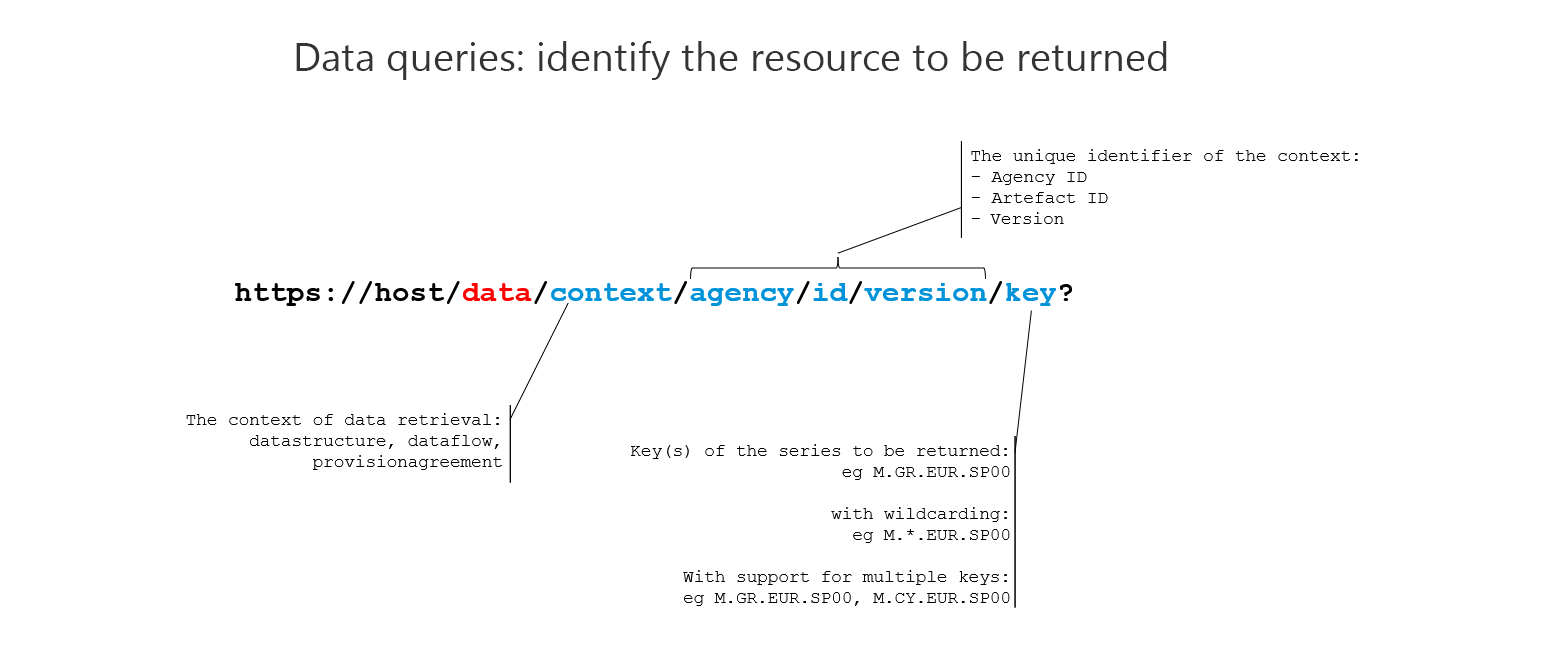
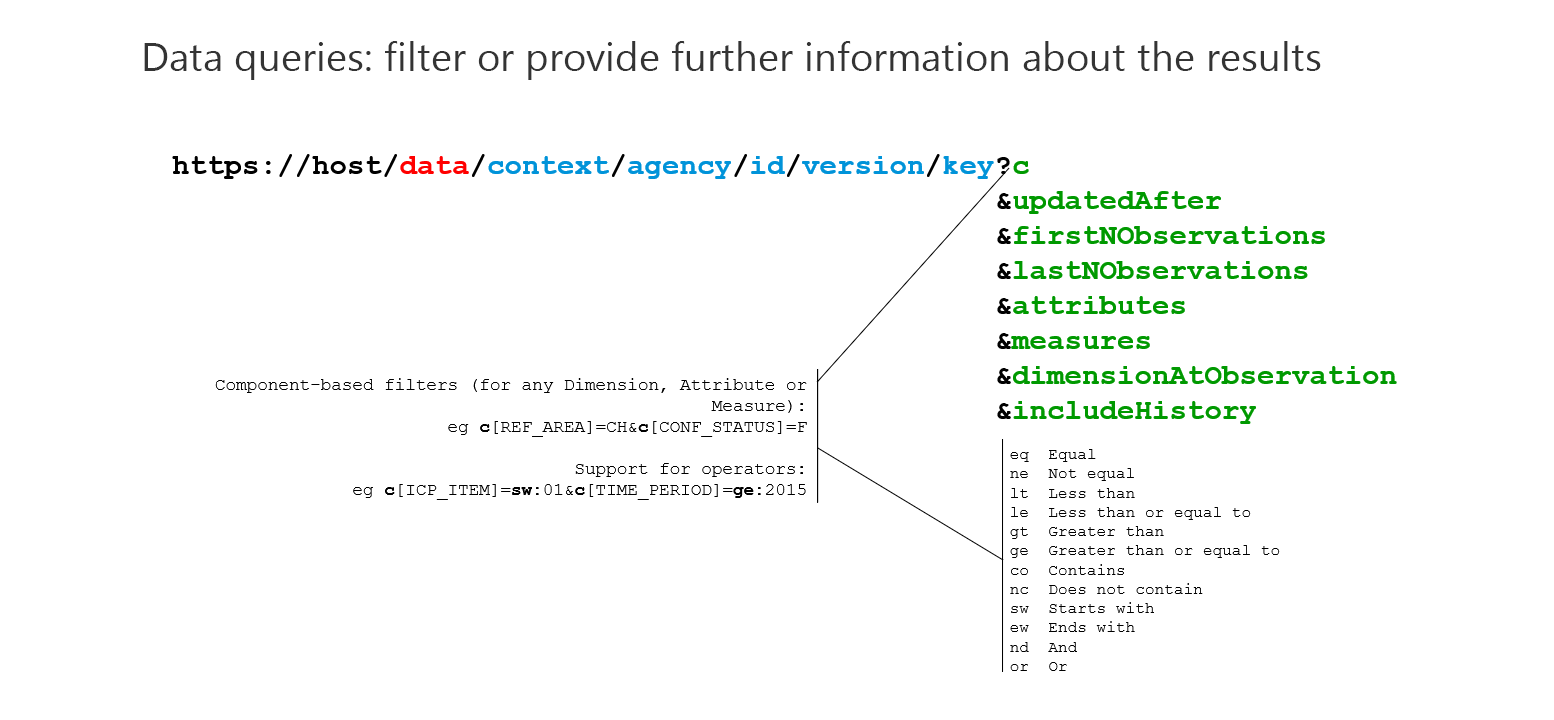
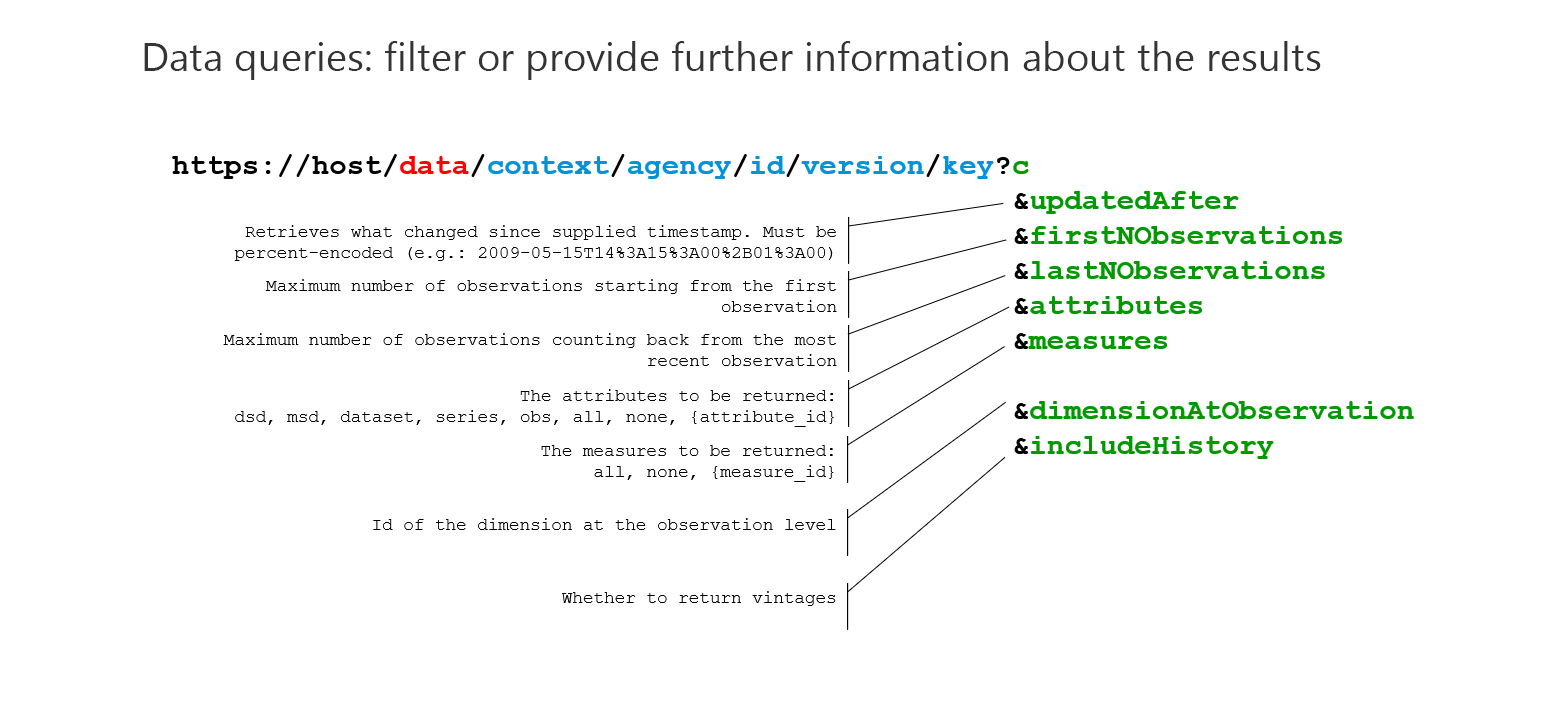
Let's look at a few examples of data queries. The images below Illustrate options for formulating a data query and how the query string may be used to filter or provide further information about the results.
Select the image to enlarge.
Select the image to enlarge.
Select the image to enlarge.
Familiarisation

An easy way to become familiar with retrieving data and the various options available is to try various parameters using a public SDMX API, such as the BIS API.
A closer look at data queries
Now let's explore data queries using a realistic example. In this short video, we'll cover a few examples of data queries.
Select Play to begin.
To access the code presented in this video, click here.
Coming next
In the next unit, we'll focus on structure queries.
Need help finding something? I am an AI Assistant that's here to help!
Welcome to SDMX AI assistant
What are you looking for?
By using this AI-powered service ("Service"), you acknowledge and agree to the following:
This Service uses generative AI to assist with statistical analysis and research. While the Service strives to deliver useful information, the output ("Output") may contain inaccuracies, omissions, or biases. The Output is provided for informational purposes only and should not be considered professional advice. You remain responsible for how you interpret and use the Output.
The BIS makes no warranties regarding the accuracy or completeness of the Output and accepts no liability for any loss or damage resulting from its use.
Do not include or share personal, private, confidential or proprietary information when using the Service.
By using this technology, you agree to the Terms and Conditions.
How the assistant can help you
Understand SDMX standards
Ask and get clear explanations about SDMX standards.
Navigate the website
Find tools and documentation on website quickly.
Explore SDMX tools
Ask about API, software and libraries supporting SDMX.
Access documentation
Locate technical guides, specifications, and FAQs.